Are you looking for the best WordPress CAPTCHA plugins? In this post, we are going to show you the top 7 WordPress CAPTCHA plugins you should use.
Spam comments, fake registrations, and bot-filled contact forms are common problems on WordPress sites. A good CAPTCHA plugin helps block automated abuse while keeping forms usable for real visitors.
WordPress CAPTCHA plugins range from simple math challenges to advanced tools that support Google reCAPTCHA, hCaptcha, and invisible protection. Some work with Contact Form 7, login forms, comment forms, and WooCommerce checkout.
In this guide, we compare the 7 best WordPress CAPTCHA plugins so you can find the right CAPTCHA solution for your site, whether you want free protection or deeper reCAPTCHA integration.
First, we will see what WordPress CAPTCHA plugins are and why we need to use them.
What Are WordPress CAPTCHA Plugins
WordPress CAPTCHA plugins help protect your site from spam and automated bots. A CAPTCHA is a test that checks whether a visitor is human before they can submit a form, leave a comment, register, or log in.
These plugins add CAPTCHA protection to common entry points on a WordPress website, such as contact, comment, registration, and login forms. Some also work with WooCommerce and popular form plugins like Contact Form 7.
Many WordPress CAPTCHA plugins support Google reCAPTCHA, including reCAPTCHA v2, invisible reCAPTCHA, and reCAPTCHA v3. Others use math CAPTCHA, image challenges, or privacy-focused options like hCaptcha.
The goal is the same: reduce spam while keeping the experience usable for real visitors. If you want to protect your WordPress site without relying only on basic filters, a dedicated CAPTCHA plugin is one of the simplest and most effective options.
What to Look for In WordPress CAPTCHA Plugins
Not every CAPTCHA plugin is a good fit for every WordPress site. The best option depends on the forms you need to protect, the CAPTCHA type you prefer, and how much friction you are willing to add for visitors.
- Supported forms: Choose a plugin that works with the forms you actually use, such as contact forms, comment forms, registration forms, login forms, or WooCommerce checkout.
- Captcha types: Look for support for Google reCAPTCHA v2 and v3, invisible reCAPTCHA options, math captchas, or privacy-focused alternatives like hCaptcha.
- Ease of setup: The best plugins make it simple to add captcha protection without complicated configuration or developer work.
- User experience: Strong spam protection should not create unnecessary friction. Invisible or low-friction options often work better for real visitors.
- Compatibility: Make sure the plugin works smoothly with popular form plugins and does not conflict with your theme or other security tools.
- Free vs paid features: Many free WordPress CAPTCHA plugins cover basic needs, while paid versions may unlock more form support, advanced settings, or better control.
Best 7 WordPress CAPTCHA Plugins You Should Try
| Plugin | Best For | Free Version | Starting Price | Captcha Type | Standout Feature |
|---|---|---|---|---|---|
| Simple CAPTCHA with Cloudflare Turnstile | Privacy-friendly modern protection | Yes (fully free) | Free | Cloudflare Turnstile | Broad form + WooCommerce support with low friction |
| Really Simple CAPTCHA | Contact Form 7 basic protection | Yes (fully free) | Free | Local image captcha | Lightweight module for CF7 without external APIs |
| Advanced Google reCAPTCHA | Core forms + Google reCAPTCHA | Yes | $59/year | Google reCAPTCHA v2/v3 | Easy reCAPTCHA for login, comments, WooCommerce |
| CleanTalk | Invisible site-wide spam blocking | Yes (trial) | $12/year | Honeypot + cloud filtering | No CAPTCHA challenges for visitors |
| reCaptcha by BestWebSoft | Google reCAPTCHA with form flexibility | Yes | $24/year | Google reCAPTCHA v2/v3/Invisible | Strong Pro integrations with major form plugins |
| SilentShield | Privacy-first multi-layer protection | Yes | €9/month | Honeypot, math, image + filters | GDPR-focused protection for many form builders |
| Captcha Code | Simple local protection | Yes (fully free) | Free | Local image captcha | No external services or API keys needed |
1. Simple CAPTCHA with Cloudflare Turnstile
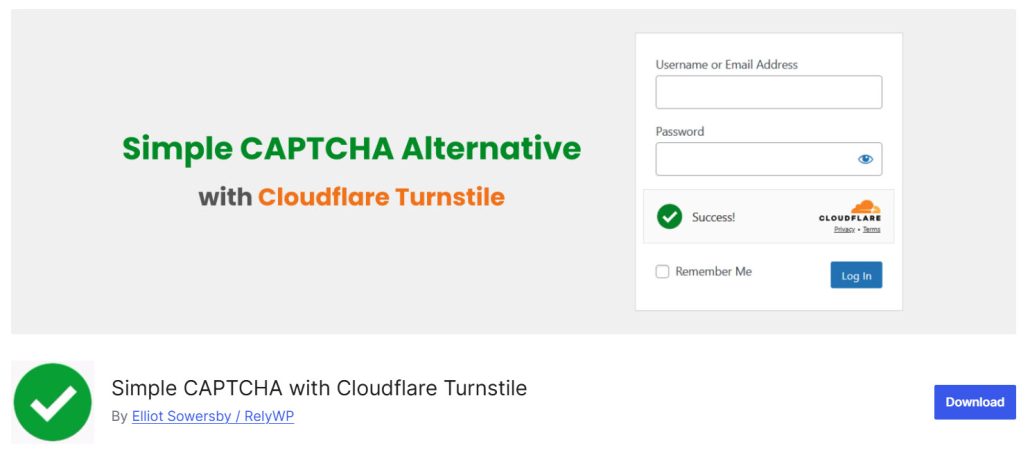
Simple CAPTCHA with Cloudflare Turnstile is a free WordPress CAPTCHA plugin that adds Cloudflare Turnstile protection to your forms. It is designed as a privacy-friendly alternative to Google reCAPTCHA and works without requiring visitors to solve confusing image puzzles.
You can enable it on WordPress login, registration, password reset, and comment forms, as well as on WooCommerce checkout and several popular form plugins such as Contact Form 7, WPForms, and Gravity Forms.
Setup is straightforward: create Turnstile keys in Cloudflare, add them to the plugin, and choose which forms to protect. It is a strong option if you want modern spam protection with minimal friction for real users.
Features
- Cloudflare Turnstile integration
- Support for WordPress login, registration, comments, and password reset
- WooCommerce checkout and account form protection
- Works with Contact Form 7, WPForms, Gravity Forms, and more
- Light/dark theme and language options
- Appearance mode for always-on or interaction-only display
- Completely free with no premium version
Pros and Cons
| Pros | Cons |
|---|---|
| Free and privacy-focused alternative to reCAPTCHA | Depends on Cloudflare Turnstile availability |
| Broad form and WooCommerce support | Limited advanced customization beyond Turnstile settings |
| Simple setup and low friction for users | |
| Lightweight and well maintained |
Pricing
Simple CAPTCHA with Cloudflare Turnstile is a free plugin.
2. Really Simple CAPTCHA

It generates simple image-based CAPTCHA challenges and stores answers in temporary files rather than using PHP sessions, which helps avoid common conflicts. Because it runs locally, it does not rely on Google reCAPTCHA or other external services, making it a privacy-friendly option for basic spam protection.
It is intentionally lightweight and not meant to be a high-security solution on its own. It works well if you want a simple CAPTCHA for Contact Form 7 forms without connecting to third-party APIs.
Features
- Local image-based CAPTCHA generation
- Designed for Contact Form 7 and similar plugins
- No external API keys or third-party services
- Temporary file storage instead of PHP sessions
- Lightweight and easy for developers to integrate
- Customizable image appearance options
- Completely free
Pros and Cons
| Pros | Cons |
|---|---|
| Free and privacy-friendly (no external services) | Not a standalone CAPTCHA solution |
| Works well with Contact Form 7 | Basic security level only |
| Lightweight with minimal setup | Requires GD/FreeType support on the server |
| No API keys needed |
Pricing
Really Simple CAPTCHA is a free plugin.
3. Advanced Google reCAPTCHA
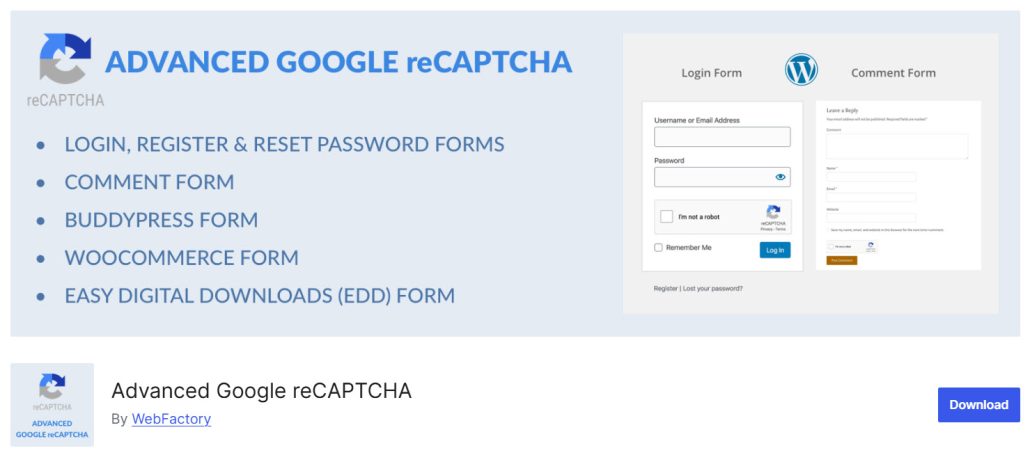
Advanced Google reCAPTCHA is a popular WordPress captcha plugin that protects forms from spam and brute-force login attacks.
The free version lets you add reCAPTCHA v2 or v3 to login, registration, password reset, and comment forms, with support for WooCommerce, Easy Digital Downloads, and BuddyPress. Setup requires Google reCAPTCHA API keys, after which you can enable protection on the forms you need.
The Pro version (starting at $59 a year) unlocks extra captcha types and advanced security options. It is a solid choice if you want a straightforward Google reCAPTCHA plugin focused on core WordPress and store forms.
Features
- Google reCAPTCHA v2 and v3 support
- Protection for login, registration, password reset, and comments
- WooCommerce, Easy Digital Downloads, and BuddyPress compatibility
- Math captcha option in addition to Google reCAPTCHA
- Lightweight loading on protected pages
- Free version available on WordPress.org
- Pro upgrades for more advanced options
Pros and Cons
| Pros | Cons |
|---|---|
| Easy Google reCAPTCHA setup for core forms | Requires Google API keys |
| Works with WooCommerce and popular plugins | Free version has limited form coverage |
| Supports both v2 and v3 reCAPTCHA | |
| Lightweight and actively maintained |
Pricing
Advanced Google reCAPTCHA is freemium. The free version can be downloaded from the WordPress plugins repository, and the premium version starts at $59 a year.
4. Spam protection, Honeypot, Anti-Spam by CleanTalk
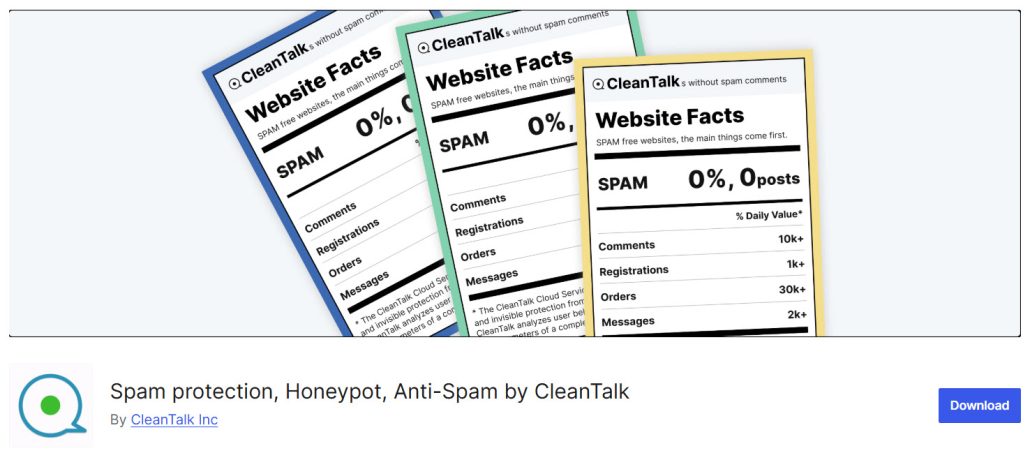
CleanTalk is a WordPress CAPTCHA alternative focused on invisible spam protection rather than traditional CAPTCHA challenges.
This plugin helps protect your WordPress website from spam on comments, registration forms, contact forms, and WooCommerce submissions without forcing visitors to solve puzzles. It uses honeypot fields and cloud-based filtering to block bots in the background, which can improve the user experience compared with visible Google reCAPTCHA tests.
CleanTalk works with many contact form plugins and is a practical option if you want strong spam protection across your WordPress site without adding friction to every form.
Features
- Invisible anti-spam filtering for comments and forms
- Honeypot field protection
- Support for registration forms and WooCommerce
- Compatibility with popular contact form plugins
- SpamFireWall to block known bots early
- Real-time checks against a large spam database
- Logs for blocked submissions
Pros and Cons
| Pros | Cons |
|---|---|
| Protects forms without CAPTCHA friction | Relies on a paid cloud service after the trial |
| Broad coverage for WordPress and WooCommerce | Needs an active service connection to work fully |
| Strong honeypot and background filtering | |
| Useful moderation logs |
Pricing
Spam protection, Honeypot, Anti-Spam by CleanTalk is freemium. The free version can be downloaded from the WordPress plugins repository, and paid plans start at $12 a year.
5. reCaptcha by BestWebSoft
reCAPTCHA by BestWebSoft is a WordPress captcha plugin that adds Google reCAPTCHA protection to core site forms. It supports reCAPTCHA v2, v3, and Invisible reCAPTCHA, so you can choose a visible checkbox challenge or a lower-friction option.
The plugin works with login, registration, password reset, comments, and some built-in contact and testimonial forms. It also includes options to hide the CAPTCHA for certain user roles or allowlisted IPs, disable the submit button until verification is complete, and adjust themes for version 2.
Pro expands compatibility to Contact Form 7, WooCommerce, Gravity Forms, WPForms, and many other form plugins, making it useful if you need broader coverage across your WordPress site.
Features
- Google reCAPTCHA v2, v3, and Invisible support
- Protection for login, registration, password reset, and comments
- Theme options for reCAPTCHA v2
- Ability to hide captcha for specific roles or IP addresses
- Submit button control until verification is complete
- Compatibility with popular form plugins in Pro
- WooCommerce form support in Pro
Pros and Cons
| Pros | Cons |
|---|---|
| Supports multiple Google reCAPTCHA versions | Advanced form integrations require Pro |
| Good coverage for core WordPress forms | Relies on Google reCAPTCHA keys |
| Flexible display and role-based options | |
| Broad Pro compatibility with major form plugins |
Pricing
reCAPTCHA by BestWebSoft is freemium. The free version can be downloaded from the WordPress plugins repository, and the premium version starts at $24 a year.
6. SilentShield
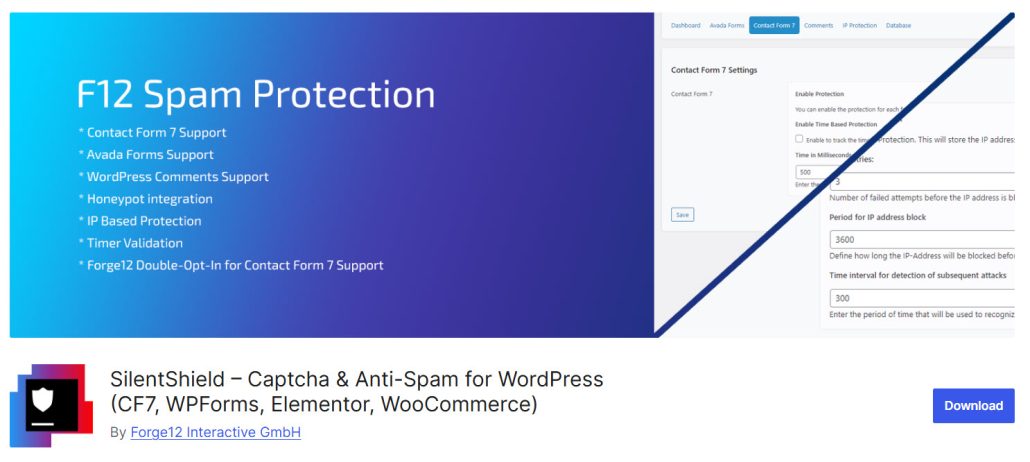
SilentShield is a privacy-focused WordPress CAPTCHA and anti-spam plugin that protects forms without relying on Google reCAPTCHA.
It combines invisible protection methods, such as honeypot fields, arithmetic CAPTCHAs, and image challenges, with IP blocking, rate limiting, and content filters. The plugin works with Contact Form 7, WPForms, Elementor, WooCommerce, and many other form builders, as well as core login, registration, and comment forms.
Because it avoids third-party tracking and is built with GDPR compliance in mind, it is a practical option if you want CAPTCHA protection that keeps friction low for real visitors while still blocking spam bots.
Features
- Invisible CAPTCHA options including honeypot, math, and image challenges
- Support for Contact Form 7, WPForms, Elementor, and other form plugins
- WooCommerce form protection
- IP blocking, rate limiting, and blacklists
- Content filters for links, keywords, and spam patterns
- Whitelisting for trusted users
- GDPR-focused, cookieless approach
Pros and Cons
| Pros | Cons |
|---|---|
| Strong multi-layer spam protection without Google reCAPTCHA | Advanced cloud features may require a paid plan |
| Broad form plugin and WooCommerce support | Newer option with a smaller install base than older plugins |
| Privacy-friendly and GDPR-oriented | |
| Low friction for real users |
Pricing
SilentShield is freemium. The free version can be downloaded from the WordPress plugins repository, and the premium version starts at €9 a month.
7. Captcha Code
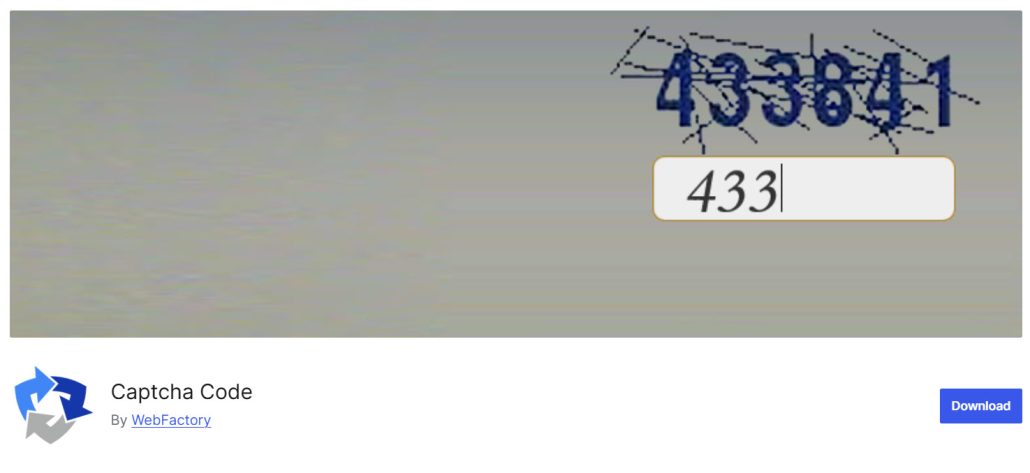
Captcha Code is a simple WordPress captcha plugin that adds local image-based protection to core site forms. Visitors must enter the characters shown in the CAPTCHA image before they can log in, register, reset a password, or post a comment.
It does not rely on Google reCAPTCHA or other external services, so no API keys are required and no user data is sent to third parties. You can choose letter case, CAPTCHA character type, and which forms to protect.
It is a lightweight option if you want basic spam protection on standard WordPress forms without connecting to outside services.
Features
- Local image-based CAPTCHA
- Protection for login, registration, comments, and lost password forms
- Options for capital, small, or mixed letters
- Alphanumeric, alphabet-only, or numbers-only CAPTCHA types
- No external API keys or third-party services
- Translation support
- GDPR-friendly local processing
Pros and Cons
| Pros | Cons |
|---|---|
| Fully free and works without external services | Limited to core WordPress forms |
| Simple setup with no API keys | Basic image captcha only |
| Privacy-friendly local processing | Fewer advanced options than modern captcha tools |
| Lightweight |
Pricing
Captcha Code is a free plugin.
Common Mistakes You Need to Avoid While Using CAPTCHA Plugins
Adding a CAPTCHA plugin is a smart way to protect your WordPress site from spam, but a few common mistakes can reduce its effectiveness or hurt the user experience. Choosing the right setup matters as much as installing the plugin itself.
- Protecting only one form: Many sites add CAPTCHA to comments but leave login, registration, or contact forms open. Cover the main entry points bots actually use.
- Choosing the wrong CAPTCHA type: A hard image challenge may stop spam, but it can also frustrate real visitors. Match the CAPTCHA style to your audience and form type.
- Ignoring mobile users: Some CAPTCHA setups are harder to complete on mobile devices. Test the experience on mobile before rolling it out site-wide.
- Stacking too many security layers: Combining multiple CAPTCHA and anti-spam tools on the same form can cause conflicts or blocked submissions. Keep the setup clean.
- Forgetting accessibility: Not all CAPTCHA options work well for every visitor. Prefer solutions that offer accessible alternatives when possible.
- Skipping testing after setup: Always submit test entries on login, registration, comment, and contact forms after installing a CAPTCHA plugin to confirm it works as expected.
Here are some related articles you might like:
- 5 Smart Ways to Use a Notification Bar That Aren’t Just “Sale Ends Soon”
- WhatsApp vs Live Chat Widget: Which Chat Tool Is Best?
- 10 WordPress Notification Bar Examples That Actually Drive Sales
- 5 Reasons Multi-Step Forms Convert Better Than Long Single-Page Forms
- How to Edit Code Files Directly From Your WordPress Dashboard With Filester
Frequently Asked Questions
Now, let’s take a look at some frequently asked questions and answers on this topic.
There is no single best option for every site. Simple CAPTCHA with Cloudflare Turnstile is excellent for free modern protection, while Advanced Google reCAPTCHA and reCaptcha by BestWebSoft work well if you want Google reCAPTCHA. CleanTalk is better for invisible spam filtering without traditional challenges.
Simple CAPTCHA with Cloudflare Turnstile, Advanced Google reCAPTCHA, CleanTalk, and SilentShield all support WooCommerce forms. Choose based on whether you prefer Turnstile, Google reCAPTCHA, or invisible cloud filtering.
Not always. Google reCAPTCHA is popular and effective, but alternatives such as Cloudflare Turnstile, honeypot systems, and local image CAPTCHAs can also protect forms well without relying on Google services.
Yes. Most of the best WordPress CAPTCHA plugins can protect the registration form, as well as login, comments, and contact forms. Always enable protection on registration if public sign-ups are open.
Really Simple CAPTCHA is built for Contact Form 7, while plugins like SilentShield, reCaptcha by BestWebSoft, and CleanTalk also support it. Pick the one that matches the CAPTCHA type and privacy level you want.
Yes, for basic spam protection. Math CAPTCHA is simple and works without external services, though advanced bots may bypass it more easily than modern options like Turnstile or cloud-based filtering.
A free plugin is often enough for smaller sites. Options like Simple CAPTCHA with Cloudflare Turnstile, Really Simple CAPTCHA, and Captcha Code provide useful protection without cost. Upgrade only if you need broader form support or advanced features.
Yes, if the challenge is too difficult or appears on every form unnecessarily. Invisible or low-friction options usually provide a better experience while still blocking most bots.
Most of the best WordPress captcha plugins support login protection. This helps reduce brute-force attempts and automated login abuse on your WordPress site.
Start with the forms you need to protect, then decide whether you prefer Google reCAPTCHA, Turnstile, honeypot filtering, or local image CAPTCHA. Test the plugin on your site and confirm it works cleanly with your forms before fully relying on it.
Conclusion
The best WordPress CAPTCHA plugin depends on the forms you need to protect and the experience you want for visitors. Simple CAPTCHA with Cloudflare Turnstile is a strong free choice for modern, low-friction protection across core forms and WooCommerce.
Really Simple CAPTCHA works well if you only need basic image CAPTCHA for Contact Form 7. Advanced Google reCAPTCHA and reCAPTCHA by BestWebSoft are solid options for adding Google reCAPTCHA to login, registration, and comment forms.
CleanTalk is better if you prefer invisible spam filtering without traditional CAPTCHA challenges. SilentShield suits privacy-focused sites that need multi-layer protection for many form builders.
Captcha Code remains a simple free option for local image CAPTCHA on standard WordPress forms. Start with the forms that get the most spam, test the user experience, and choose the CAPTCHA plugin that fits your site without adding unnecessary friction.
Which plugin are you going to use?
Let us know in the comments.